Development
This page covers everything you need to work on Orbit: the toolchain, the build scripts, the project layout, debug builds and their environment variables, the developer tools (FakeLLMServer, orbitctl), the fake personal data for end-to-end runs, and the coding conventions.
Prerequisites
- macOS 15.2 or later, on Apple silicon or Intel. Orbit runs on macOS 14, but GRDB.swift and KeyboardShortcuts need Swift 6.1, which comes with Xcode 16.3 and its Command Line Tools, and those need macOS 15.2.
-
One of:
- the Command Line Tools with Swift 6.1 or later (
xcode-select --install), or - Xcode 16.3 or later.
Orbit is developed and tested with Swift 6.3 (Xcode 26.4 or later, or its Command Line Tools); Swift 6.1 and 6.2 are not tested.
- the Command Line Tools with Swift 6.1 or later (
-
Optional, for trying Orbit against a model: a Claude subscription with the Claude app or Claude Code installed and signed in, an Anthropic API key, or an OpenAI-compatible server such as Ollama or LM Studio. You can also work entirely without a model by using FakeLLMServer.
Orbit is a Swift package (swift-tools-version: 6.0, Swift 6 language mode), not an Xcode project. It depends on
KeyboardShortcuts (2.4.0 or later) and
GRDB.swift (7.11.0 or later); SwiftPM fetches both on the first build.
Getting the code
All commands on this page run from the repository root.
Quick start
Scripts/swiftpm.sh build                  # compile all targets
Scripts/swiftpm.sh test                   # run the unit tests (Swift Testing)
Scripts/build-app.sh debug                # build/debug/Orbit.app (ad hoc signed, Hardened Runtime)
open build/debug/Orbit.app
Scripts/build-app.sh release --universal  # build/release/Orbit.app for arm64 and x86_64
Always use the wrappers in Scripts/ instead of calling swift directly: they apply the workarounds a
Command Line Tools-only Mac needs (see The wrapper scripts). With Xcode selected they
behave exactly like plain swift.
Many command examples in these pages have # comments. zsh, the default shell on macOS, treats # as the start of
a comment only with setopt interactivecomments (add it to ~/.zshrc). Without it, a comment line fails with
"command not found: #", and a comment after a command becomes extra arguments or, if it contains parentheses, stops
zsh from running the line, so copy the commands without their comments.
Project layout
| Path | Contents |
|---|---|
Package.swift |
The package: the Orbit app target, the OrbitTests test target and three developer tools. Resources are not SwiftPM resources; build-app.sh copies them into the app. |
Orbit/App/ |
Entry point and app lifecycle (OrbitApp, AppDelegate), the composition root (AppEnvironment, AppServices), the floating panel and its controller, hotkey, menu bar and main menu, onboarding and Settings windows, Quick Look, context capture, chat parking. Also the DEBUG-only DebugAutomation and the Fake*Data sources for fake personal data. |
Orbit/Agent/ |
The agent loop, the tool protocol and registry, risk levels, the confirmation broker, the system prompt, truncation, chat items and result cards. |
Orbit/LLM/ |
The provider abstraction, the Anthropic and OpenAI-compatible providers and wire formats, SSE parsing, HTTP and retries, errors. |
Orbit/LLM/ClaudeCode/ |
The Claude subscription provider: locating and running Claude Code, its stream decoder, sign-in and account status, and MCPBridge/ (the loopback MCP server that exposes Orbit's tools). |
Orbit/Tools/ |
The tools, one folder per area: Files, Mail, Notes, Contacts, Calendar, Reminders, Photos, Apps, System, and Shared (AppleScript runner, Spotlight queries, content wrapping, file paths, the process runner, the pasteboard). |
Orbit/Search/ |
Instant search: the app index, file name search, contact search, the fuzzy matcher, launch counts, the folder watcher. |
Orbit/Storage/ |
The GRDB database and conversation store, settings (UserDefaults), the keychain store, app paths, the interface language. |
Orbit/Permissions/ |
The permission kinds, the permission manager and the live permission access. |
Orbit/UI/ |
SwiftUI views: the root view, search, chat, input bar, context chips, result cards, confirmation cards, Markdown rendering, onboarding, Settings, announcements and theme. |
Orbit/Support/ |
Small shared helpers: logging (Log.swift), child processes, private files, flexible dates. |
Orbit/Resources/ |
Localizable.xcstrings and InfoPlist.xcstrings (String Catalogs), AppIcon.icns, and AppleScripts/ (the scripts Orbit runs, shipped as source). |
OrbitTests/ |
Unit tests (Swift Testing), one folder per area, mirroring Orbit/. See testing.md. |
OrbitTests/Support/ |
Mocks and fakes for every system service, the offscreen key panel, the German interface helper. |
OrbitTests/Fixtures/ |
Invented test data: Files/ (sample documents and their scripts), Mail/ (.emlx messages in the layout of Mail's store), PersonalData/ (the JSON files for fake personal data), AppleScripts/ (test scripts that address no app), FakeClaude/ (a fake claude executable). Excluded from the test target's sources. |
DevTools/FakeLLMServer/ |
A scripted stand-in for the Anthropic and OpenAI APIs. See FakeLLMServer. |
DevTools/orbitctl/ |
Drives a running debug build from the terminal. See orbitctl. |
DevTools/OrbitStrings/ |
String Catalog tooling (extract, lint, compile, translate) that replaces Xcode's. See localization.md. |
Scripts/ |
swiftpm.sh, build-app.sh, make-icon.swift, create-dev-cert.sh, notarize.sh, and toolchain/ (the PreviewsMacros stand-in). |
Config/ |
Info.plist (with $(ORBIT_…) placeholders) and the entitlements: Orbit.entitlements (release) and Orbit-Debug.entitlements (debug, also allows attaching a debugger). |
.github/workflows/ |
release.yml: tests, builds and publishes a release for every pushed version tag, and signs and notarizes the app once the Developer ID secrets are set (see releasing.md). docs.yml: builds this documentation and publishes it on GitHub Pages (see Documentation site). |
build/ |
Output of build-app.sh (build/debug/Orbit.app, build/release/Orbit.app) and, next to each app, its debug information (Orbit.app.dSYM). Not committed. |
.build/ |
SwiftPM's build folder, including toolchain-fixes/ from swiftpm.sh. Not committed. |
The developer tools are separate executable targets and never ship inside Orbit.app.
The wrapper scripts
Scripts/swiftpm.sh
Scripts/swiftpm.sh runs swift <command> for the package:
Scripts/swiftpm.sh build [args]           # swift build
Scripts/swiftpm.sh test [args]            # swift test, e.g. --filter AgentLoop
Scripts/swiftpm.sh run <product> [args]   # swift run, e.g. run orbitctl state
Because Orbit is a Swift package rather than an Xcode project, it builds with the Command Line Tools alone. That
needs three workarounds, which the script applies only when the selected developer directory is the Command Line
Tools (xcode-select -p). With Xcode selected, nothing is changed.
| Problem | Workaround |
|---|---|
Some Command Line Tools installs ship stale PackageDescription interfaces (an old *.private.swiftinterface next to a newer libPackageDescription.dylib), so every Package.swift fails to link. |
The script copies ManifestAPI and PluginAPI once, deletes the stale interfaces from the copy and points SwiftPM at it with SWIFTPM_CUSTOM_LIBS_DIR. |
KeyboardShortcuts contains #Preview blocks, whose macro plugin (PreviewsMacros) only ships with Xcode. |
A no-op stand-in plugin, Scripts/toolchain/PreviewsMacrosStub.swift, is compiled once and loaded at compile time. Nothing of it ends up in the app. |
| Swift Testing is part of the Command Line Tools but outside the default search paths. | For test only, the script adds the framework and library paths (keeping these paths out of the app binary). |
The fixes are cached in .build/toolchain-fixes (override the location with ORBIT_TOOLCHAIN_FIXES). The stub is
rebuilt when its source changes.
What else replaces Xcode
Without Xcode there is also no asset catalog compiler, no String Catalog compiler and no app bundling. That is why these exist:
Scripts/build-app.shassembles, localizes and signsOrbit.app.DevTools/OrbitStringsextracts, lints and compiles the String Catalogs.Scripts/make-icon.swiftdraws the app icon in code.
Building the app with build-app.sh
The output is build/<config>/Orbit.app. The configuration defaults to debug.
| Option | Meaning |
|---|---|
debug |
Debug configuration (default). Signed with Config/Orbit-Debug.entitlements, which also allows attaching a debugger (com.apple.security.get-task-allow). Contains the DEBUG-only features on this page. |
release |
Release configuration, signed with Config/Orbit.entitlements. No debug overrides, no remote control, no fake data. |
--universal |
Builds arm64 and x86_64 separately (--triple arm64-apple-macosx14.0 and x86_64-apple-macosx14.0) and merges them with lipo. Meant for release builds. If the x86_64 build fails, the script stops (see ORBIT_ALLOW_ARM64_ONLY). |
-h, --help |
Prints the usage. |
| Environment variable | Default | Meaning |
|---|---|---|
ORBIT_BUNDLE_ID |
io.github.eric-volz.Orbit |
The bundle identifier (CFBundleIdentifier). A different one gives a debug build its own settings domain and its own privacy permissions. |
ORBIT_VERSION |
0.1.0 |
CFBundleShortVersionString. |
ORBIT_BUILD |
1 |
CFBundleVersion. |
ORBIT_SIGN_IDENTITY |
- (ad hoc) |
The codesign identity. Use "Developer ID Application: Name (TEAMID)" for distribution (then run Scripts/notarize.sh, see releasing.md), or "Orbit Development" (from Scripts/create-dev-cert.sh) so macOS keeps privacy permissions across rebuilds. |
ORBIT_ALLOW_ARM64_ONLY |
unset | With --universal and =1: if the x86_64 build fails, continue with arm64 only. The script prints a warning and the summary says why the slice is missing. |
ORBIT_TIMESTAMP |
automatic | 1 forces a secure timestamp, 0 skips it. By default a timestamp is requested only for Developer ID Application and Apple Development identities. |
What the script does
- Compile. Builds the
Orbitproduct withScripts/swiftpm.sh build -c <config>; with--universal, once per architecture. Each slice's build log goes tobuild/<config>/.work/. A universal build is checked to contain both arm64 and x86_64. - Fix the resource bundle lookup. Command-line SwiftPM looks for a dependency's resource bundle next to the
app (where code signing allows no files) or at its absolute path in
.build(which exists only on the build machine). The script copies KeyboardShortcuts' bundle (the recorder's texts, limited to the app's languages) toContents/Resources/KeyboardShortcut.bundle, a name of the same length, and rewrites the path literal in the executable to point there, before signing. Without this the app would crash on any other Mac as soon as the shortcut recorder appears. GRDB's bundle only contains a privacy manifest and is never loaded. An unknown SwiftPM resource bundle stops the build ("teach Scripts/build-app.sh how to ship it"). - Remove build paths. The executable would otherwise carry the build machine's paths, and with them the
builder's user name: the debug map names every source and object file, and some literals hold absolute
.buildor#filepaths.strip_build_pathsmoves the debug information into a dSYM next to the app (build/<config>/Orbit.app.dSYM; local only, never shipped, and debuggers find it there), strips the debug symbols from the executable withstrip -Sand overwrites every remaining absolute path below the repository with slashes of the same length. It then fails the build if the repository path or your home path is still in the binary, so no user name or home path ends up inOrbit.app. This runs before signing. - Assemble. Creates
Contents/MacOS/Orbitand fills inConfig/Info.plist, replacing$(ORBIT_BUNDLE_ID),$(ORBIT_VERSION)and$(ORBIT_BUILD). The result is checked withplutil -lint, and any placeholder left over stops the build. - Localize. Builds
OrbitStrings, lintsLocalizable.xcstrings(together with the sources inOrbit/) andInfoPlist.xcstrings, and compiles both catalogs to<language>.lproj/Localizable.stringsandInfoPlist.stringsfor every language inCFBundleLocalizations. A lint error stops the build. - Check and copy the AppleScripts. Every script in
Orbit/Resources/AppleScriptsis syntax-checked withosacompile, but only when every app it addresses ships a scripting dictionary (.sdef). Notes, Mail, Photos, Finder and System Events do. Compiling a script for an app without one would launch that app to ask for its terminology, so such a script is skipped with a warning ("not compiled (syntax unchecked)"). The scripts are copied as source:osascriptruns them from there, and a compiled.scptwould try to save its state back into the signed bundle. - Copy the icon
Orbit/Resources/AppIcon.icns(a warning if it is missing). - Sign with the Hardened Runtime (
codesign --force --options runtime) and the entitlements of the configuration. Orbit does not use the App Sandbox, because it controls other apps with Apple Events. Both entitlement files allow Apple Events and access to Contacts, Calendars and Photos. - Verify with
codesign --verify --strict --deep. For a Developer ID signature it also runsspctl --assess(which reports "Unnotarized Developer ID" until you notarize;notarize.shchecks again after stapling). - Print a summary: version and build, configuration, bundle ID, architectures, minimum macOS, signature and
flags, entitlements, localizations (with the number of German translations, for example "de: 679 of 679
strings translated"), icon and size, and where the debug symbols are (
Orbit.app.dSYM, not shipped). The intermediate files inbuild/<config>/.workare kept only when the summary has a note (for example a missing x86_64 slice).
Keeping permissions across rebuilds
macOS stores privacy permissions (Automation, Accessibility, Contacts, Calendars, …) per code signature. An ad hoc signature changes with every build, so macOS forgets the permissions after each rebuild. A build signed with a stable certificate keeps them:
Scripts/create-dev-cert.sh                                        # once
ORBIT_SIGN_IDENTITY="Orbit Development" Scripts/build-app.sh debug
create-dev-cert.sh creates a self-signed code-signing identity "Orbit
Development" in your login keychain. The certificate is valid for ten years, can only sign code and never leaves
your Mac. It is not marked as trusted (codesign does not need that, and macOS's privacy database only compares the
certificate hash in the designated requirement), so no system trust settings change. If macOS asks whether
codesign may use the key on the first build, choose "Always Allow". Remove the identity with
Scripts/create-dev-cert.sh --remove.
Signing and notarizing a release is described in releasing.md.
The app icon
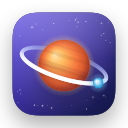
The icon is drawn in code with Core Graphics:
swift Scripts/make-icon.swift                      # regenerates Orbit/Resources/AppIcon.icns
swift Scripts/make-icon.swift --preview /tmp/icon  # also writes a PNG of every size for inspection
swift Scripts/make-icon.swift --output path/to/AppIcon.icns
The artwork follows the macOS icon grid: an 824 × 824 body with continuous corners on a 1024 × 1024 canvas with a
soft drop shadow. Small sizes drop the fine details and use a thicker ring so the motif stays readable. The script
renders the 16, 32, 128, 256 and 512 point sizes at 1x and 2x and converts them with iconutil. The .icns file is
committed; regenerate it only when you change the artwork.
Running a debug build
To pass environment overrides, start the executable directly so the variables reach it:
Orbit is a menu bar app (no Dock icon). Quit it from its menu bar menu ("Quit Orbit") or with orbitctl quit.
Orbit logs to the unified log under the subsystem io.github.eric-volz.Orbit (or your ORBIT_BUNDLE_ID), in the categories
app, panel, llm, agent, tools, search, storage and permissions. To follow it:
Tip
Ad hoc signed builds lose their privacy permissions on every rebuild. Sign with a stable development certificate, or work with fake personal data, which never asks macOS for anything.
Debug environment overrides
DEBUG builds read the following environment variables at launch. Release builds contain none of this code.
| Variable | Meaning |
|---|---|
ORBIT_DEBUG_PROVIDER |
The provider: anthropic, openAICompatible or claudeCode. |
ORBIT_DEBUG_BASE_URL |
The provider's endpoint. For claudeCode: the path of a claude executable. |
ORBIT_DEBUG_MODEL |
The model ID for the selected provider. |
ORBIT_DEBUG_API_KEY |
An API key for the selected provider, kept in memory only. The keychain is never read or written. |
ORBIT_DEBUG_EFFORT |
The reasoning effort: low, medium, high (or none). |
ORBIT_DATA_DIR |
The data folder instead of ~/Library/Application Support/Orbit (chat history Orbit.sqlite, the remote control's Automation/ folder, shortcut input files). |
ORBIT_DEBUG_FILE_SCOPE |
An absolute folder: file tools and instant search work only there, and everything personal is switched off. See below. |
ORBIT_DEBUG_FAKE_PERSONAL_DATA |
An absolute folder with invented notes, mail, contacts, events, reminders, photos, shortcuts, a frontmost app and system settings, used instead of yours. See below. |
ORBIT_DEBUG_AUTOMATION |
1 turns on the remote control for orbitctl. |
How the overrides behave:
- The provider, model, endpoint and effort overrides are applied in memory. As soon as one of them is set, Orbit
stops saving setting changes, so a debug run never modifies your real settings. Your real keychain is untouched
as long as you pass the key with
ORBIT_DEBUG_API_KEY. ORBIT_DATA_DIRkeeps chats and the remote control's files out of your real data folder. Use it for every debug run.- When any
ORBIT_DEBUG_…variable is set, the onboarding never opens by itself; open it withorbitctl open-onboarding. - For a separate settings domain (and separate privacy permissions), build with its own bundle ID, for example
ORBIT_BUNDLE_ID=io.github.eric-volz.Orbit.dev Scripts/build-app.sh debug, and pass--bundle-idto orbitctl.
Restricting files: ORBIT_DEBUG_FILE_SCOPE
ORBIT_DEBUG_FILE_SCOPE=<absolute folder> is read once at launch.
- Files. The file tools and instant search search only that folder, and the file tools refuse every path outside it.
- Instant search shows no contacts, and only the apps in
/System/Applications(with Utilities) and in that folder. - Everything personal is off, unless
ORBIT_DEBUG_FAKE_PERSONAL_DATAis set too:- the Notes, Mail, contact, calendar, reminder, photo, shortcut, appearance and volume tools are unavailable (they tell the model they are "not available in this debug session");
open_appandopen_urlopen nothing, and the clipboard is never written;- no other app's selection is read, so there are no context chips;
- Spotlight is never asked about Mail;
- photo cards show placeholders and never open Photos.
- Permissions are not read. They all count as granted, and "Allow…" and "System Settings…" do nothing.
- An invalid value (not an absolute path to an existing folder) makes file searches find nothing, never your
home folder. Orbit logs an error in the
searchcategory.
The usual value is the repository's file fixtures, after giving them current dates:
OrbitTests/Fixtures/Files/prepare-dates.sh
ORBIT_DEBUG_FILE_SCOPE=$PWD/OrbitTests/Fixtures/Files ORBIT_DATA_DIR=/tmp/orbit-dev \
  build/debug/Orbit.app/Contents/MacOS/Orbit
Using invented data: ORBIT_DEBUG_FAKE_PERSONAL_DATA
ORBIT_DEBUG_FAKE_PERSONAL_DATA=<absolute folder> is read once at launch. The folder holds notes.json,
mails.json, contacts.json, events.json, reminders.json, photos.json, shortcuts.json, frontmost.json
and system.json. With it:
- The Notes and Mail tools, contacts (the tool, your own name and instant search), the calendar and reminder tools,
search_photos, the shortcut tools, the context chips andget_frontmost_context,set_appearanceandset_volumeanswer from these files. - Notes, Mail, Contacts, EventKit, PhotoKit, Shortcuts, other apps, System Events and Core Audio are never reached,
and
open_appandopen_urlopen nothing. - Mail search runs as it does without Spotlight. Photo cards show invented pictures drawn at runtime.
- macOS's permissions are never read or requested: they come from the files, and everything they do not mention counts as granted.
- Everything Orbit would have done (created notes, drafts, events, opened links, clipboard text, permission
requests, …) is recorded and reported by
orbitctl state. - An invalid folder or a broken file gives empty data and an error in the state, never your real data.
Important
Fake personal data does not restrict files. The file tools and instant search still use your home folder unless
you also set ORBIT_DEBUG_FILE_SCOPE. Set both for a session that touches nothing of yours.
The files, their formats, the fixtures in the repository and end-to-end recipes are described in Fake personal data.
Using Ollama in development
Ollama serves both an Anthropic-compatible and an OpenAI-compatible API. Through the Anthropic-compatible API (for
example with gpt-oss:20b):
ORBIT_DEBUG_PROVIDER=anthropic ORBIT_DEBUG_BASE_URL=http://127.0.0.1:11434 \
ORBIT_DEBUG_MODEL=gpt-oss:20b ORBIT_DEBUG_API_KEY=ollama ORBIT_DATA_DIR=/tmp/orbit-dev \
  build/debug/Orbit.app/Contents/MacOS/Orbit
Through the OpenAI-compatible API, change the provider and the endpoint:
ORBIT_DEBUG_PROVIDER=openAICompatible ORBIT_DEBUG_BASE_URL=http://127.0.0.1:11434/v1 \
ORBIT_DEBUG_MODEL=gpt-oss:20b ORBIT_DATA_DIR=/tmp/orbit-dev \
  build/debug/Orbit.app/Contents/MacOS/Orbit
For setting up the providers as a user, see providers.md.
FakeLLMServer
FakeLLMServer is a scripted stand-in for the Anthropic Messages API and the OpenAI Chat
Completions API, for testing edge cases without a real model. It has no dependencies and listens on loopback only
(127.0.0.1 and ::1).
Then start Orbit against it, through either API:
# Anthropic Messages API
ORBIT_DEBUG_PROVIDER=anthropic ORBIT_DEBUG_BASE_URL=http://127.0.0.1:8765 ORBIT_DEBUG_MODEL=fake-model \
ORBIT_DEBUG_API_KEY=test ORBIT_DATA_DIR=/tmp/orbit-dev build/debug/Orbit.app/Contents/MacOS/Orbit

# OpenAI Chat Completions
ORBIT_DEBUG_PROVIDER=openAICompatible ORBIT_DEBUG_BASE_URL=http://127.0.0.1:8765/v1 ORBIT_DEBUG_MODEL=fake-model \
ORBIT_DEBUG_API_KEY=test ORBIT_DATA_DIR=/tmp/orbit-dev build/debug/Orbit.app/Contents/MacOS/Orbit
| Option | Default | Meaning |
|---|---|---|
--port, -p |
8765 |
The port. |
--log <file.jsonl> |
none | Appends every request body as one JSON line, plus event lines. |
--delay <ms> |
25 |
The delay between streamed chunks. |
Endpoints
| Route | Behavior |
|---|---|
POST /v1/messages |
Anthropic Messages API (SSE when "stream": true). |
POST /v1/chat/completions |
OpenAI Chat Completions (SSE when "stream": true). |
GET /v1/models |
A model list readable by both dialects. |
GET /v1/models/<id> |
One model; 404 for IDs starting with missing. |
API keys starting with invalid get HTTP 401 on every route.
Scenarios
The last user message picks the answer (its last text block, or the last one containing a #command line, since
context blocks may follow):
| Message | Answer |
|---|---|
| anything | A Markdown echo, streamed word by word. |
#markdown |
A heading, lists, a table and a code block. |
#tool <name> [json] |
A tool call (its arguments split into 2 to 3 fragments). The follow-up request with the result gets Tool result: …. |
#thinking … |
A signed thinking block first. The next request must echo it byte-identical. |
#redacted … |
A redacted_thinking block first. |
#error <status> [message] |
An HTTP error with an error body (retry-after: 2 for 429). |
#midstream-error |
Some text, then an overloaded_error event. |
#refusal |
Some text, then stop_reason: refusal (category cyber). |
#slow |
60 words, 300 ms apart (for testing cancellation). |
#maxtokens |
A tool call with truncated JSON and stop_reason: max_tokens. |
#thinking and #redacted are flags that combine with commands, for example
#thinking #tool search_files {"query":"x"}.
Checking the log
--log writes one JSON line per request body, plus event lines such as {"event":"THINKING_ECHO_OK"},
{"event":"THINKING_ECHO_MISMATCH"} or {"event":"CLIENT_DISCONNECTED"}. Handy checks:
# The system prompt must never change within a run: this must print 1.
jq -c 'select(.messages) | .system' /tmp/requests.jsonl | sort -u | wc -l

# Did a thinking block come back unchanged?
grep -c THINKING_ECHO_OK /tmp/requests.jsonl
orbitctl
orbitctl drives a running debug build from the terminal: it opens the panel,
types and submits messages, presses keys, reads Orbit's state and takes snapshots. The app side is
DebugAutomation.swift. Release builds contain none of it.
Enabling the remote control
The remote control is off unless Orbit is started with ORBIT_DEBUG_AUTOMATION=1. Then:
- Orbit writes a random per-launch token to
<data folder>/Automation/token, readable only by you (mode 0600), and ignores every command without it. - orbitctl sends a command as a distributed notification (
<bundle ID>.debug.command) with the token and a fresh reply ID. Orbit writes the reply as JSON to<data folder>/Automation/reply-<id>.json(0600) and posts only the reply ID and an ok flag (<bundle ID>.debug.reply), so no chat content is broadcast to other processes. - orbitctl prints the reply's JSON and deletes the file. Exit status: 0 ok, 1 error reply or timeout, 64 usage error.
- Orbit never logs the content of commands or replies.
orbitctl finds the data folder through --data-dir, else ORBIT_DATA_DIR, else
~/Library/Application Support/Orbit. Use the same value as the app:
ORBIT_DATA_DIR=/tmp/orbit-dev ORBIT_DEBUG_AUTOMATION=1 build/debug/Orbit.app/Contents/MacOS/Orbit &

export ORBIT_DATA_DIR=/tmp/orbit-dev
Scripts/swiftpm.sh run orbitctl submit "#markdown"
Scripts/swiftpm.sh run orbitctl state
Scripts/swiftpm.sh run orbitctl snapshot /tmp/panel.png
swift run checks the build every time. For many calls, build once and call the binary directly:
"$(Scripts/swiftpm.sh build --show-bin-path)/orbitctl" state.
| Option | Default | Meaning |
|---|---|---|
--bundle-id |
io.github.eric-volz.Orbit |
The bundle ID of the running build (for a build made with ORBIT_BUNDLE_ID). |
--data-dir |
ORBIT_DATA_DIR, else ~/Library/Application Support/Orbit |
Where the token and the replies are. |
--timeout |
30 |
Seconds to wait for a reply. wait-idle extends it to its own wait plus 5 seconds. |
Commands
| Command | What it does |
|---|---|
show |
Opens the panel like the shortcut, with the context chips. Replies with the state. |
hide |
Hides the panel. Replies with the state. |
toggle |
Toggles the panel like the shortcut (with the context chips). Replies with the state. |
type <text> |
Sets the input text. |
submit [text] |
Sends the text (or the current input) like Return in the chat input, with the current context chips. A parked chat is closed first. |
key <spec> |
Presses a key in the key window (see Key specs). Without a key window, the key goes to the visible panel. |
new-chat |
Starts a new chat like ⌘N. |
open-settings / close-settings |
Opens or closes the Settings window. |
open-onboarding [step \| new-permissions] |
Opens the onboarding, optionally at a step: welcome, provider, hotkey, automationMail, automationNotes, contacts, calendars, reminders, photos, automationFinder, accessibility, done. new-permissions shows only the steps an existing user sees once after an update. |
close-onboarding |
Closes the onboarding. |
state |
Replies with Orbit's state (see State). |
snapshot <png> |
Renders the panel to a PNG file. |
snapshot-window <png> |
Captures the panel as composited on screen, including the behind-window material. |
snapshot-settings <png> |
Renders the Settings window (open it first). |
snapshot-onboarding <png> |
Renders the onboarding window (open it first). |
wait-idle <seconds> |
Waits until the running request finishes (default 30 seconds); an error if it still runs. |
fake-frontmost [scene] |
With fake personal data: lists the invented frontmost apps of frontmost.json, or switches to one. show and toggle then capture its selection as context chips. |
quit |
Quits Orbit. |
help |
Lists the commands. |
Snapshots are written only as new or replaced .png files in a temporary folder (/tmp or your temporary
directory) or the data folder, and an existing file is replaced only if it is a PNG. Relative paths are resolved
against your current directory. Rendering needs no Screen Recording permission; when the content view renders
blank, Orbit captures its own window instead.
Key specs
A key spec is a key name with optional modifier prefixes joined by -:
- Keys:
escape(esc),return,enter,tab,space,delete(backspace),forwarddelete,up,down,left,right,home,end,pageup,pagedown,comma,period,slash,minus,equal, the lettersatozand the digits0to9. - Modifiers:
cmd(command),shift,opt(option,alt),ctrl(control). - Examples:
cmd-n,cmd-return,cmd-shift-z,shift-tab.
Keys are posted into the app's event queue, so they take the real path through key equivalents, the main menu, the first responder and SwiftUI's handlers.
State
orbitctl state replies with a JSON object. User content (input text, chat items, instant results) appears only
here and is never logged.
| Field | Contents |
|---|---|
panelVisible, panelIsKey, appIsActive, appIsHidden, frontmostApp, keyWindow, firstResponder |
Window and focus state. |
panelFrame, screenVisibleFrame, preferredContentHeight, maximumContentHeight, showCount |
Panel geometry and how often it was shown. |
inputText, inputSelection |
The input field. |
attachments |
The labels of the current context chips. |
contextCapture |
enabled, captures (count), isCapturing, lastOutcome: chips, nothing or dropped. |
isRunning, chatParked |
Whether a request runs and whether the chat is parked. |
items |
The chat items: kind (user, assistant, progress, toolStatus, card, confirmation, notice, disclosure) and text (the first 200 characters), plus details such as the tool and its state, a card's type and count, a confirmation's status, a notice's style and actions. |
instantSearching, instantResults |
Instant search: the results in display order (group, title, subtitle). |
quickLook |
The Quick Look preview of file cards: visible, hasKeyboard, index, count. |
hotkey |
The global shortcut. |
settingsVisible, settingsTab |
The Settings window and its tab (general, model, tools, permissions, privacy). |
keyboardHandoff |
Orbit handing the keyboard to Mail's reply window: phase (idle, opening, opened, keptVisible, meaning the panel stayed up without the keyboard) and app. |
onboarding |
visible, isKey, step, mode (full or newPermissions), steps, completed, presentedPermissions. |
permissions |
Every permission Orbit uses with its status as Orbit last read it (unread before the first reading). |
fakePersonalData |
With fake personal data: the data's counts and everything Orbit did with it (see What is recorded); otherwise null. |
Example: orbitctl state | jq '.items[] | select(.kind == "toolStatus")'.
Fake personal data
Fake personal data (DEBUG builds only) lets the agent work on invented notes, mail, contacts, events, reminders, photos, shortcuts, a frontmost app and permissions instead of yours, for end-to-end runs and demos. Combine it with the file fixtures, the remote control and a provider:
OrbitTests/Fixtures/Files/prepare-dates.sh
ORBIT_DEBUG_FAKE_PERSONAL_DATA=$PWD/OrbitTests/Fixtures/PersonalData \
ORBIT_DEBUG_FILE_SCOPE=$PWD/OrbitTests/Fixtures/Files ORBIT_DEBUG_AUTOMATION=1 ORBIT_DATA_DIR=/tmp/orbit-dev \
ORBIT_DEBUG_PROVIDER=claudeCode ORBIT_DEBUG_MODEL=haiku build/debug/Orbit.app/Contents/MacOS/Orbit
Any provider works; with FakeLLMServer you can script the tool calls yourself
(#tool list_events {…}).
Files and formats
Every key in every file is optional. The complete formats are documented at the top of each source file.
| File | Contents | Format described in |
|---|---|---|
notes.json |
Folders, the default and the trash folder, notes (text whose first line is the title, or an HTML body; locked). |
FakePersonalData.swift |
contacts.json |
Contacts with emails and phones; "isMe": true marks your own card. |
FakePersonalData.swift |
mails.json |
Accounts with mailboxes (roles inbox, sent, drafts, junk, trash), messages with sender, recipients, subject, date, flags, body and attachments. |
FakeMailData.swift |
events.json |
Calendars (with account, color, readOnly), the default calendar, events (all-day, timed, multi-day, recurring, declined, canceled). |
FakeCalendarData.swift |
reminders.json |
Lists, the default list, reminders (due day and time, priority, completed). | FakeCalendarData.swift |
photos.json |
Albums and photos (photo, livePhoto, video, screenshot; favorite, duration, size, albums, hidden, inCloud, a color for the drawn thumbnail). |
FakePhotoData.swift |
shortcuts.json |
Shortcuts with folder and output (text, image or none); without output a run echoes its input, failure makes it fail. |
FakeSystemData.swift |
frontmost.json |
Scenes: an app in front with window title, selected text, a secure field or a Finder selection, and the default scene. | FakeSystemData.swift |
system.json |
The appearance (light or dark) and an output device (level, muted, adjustable). |
FakeSystemData.swift |
Dates:
- Notes and mail use ISO 8601 dates or dates relative to the launch:
"now","-2d","-3h","-15m". - Events, reminders and photos count days from the launch day (
"day": 0is today,1tomorrow,-1yesterday) with local times such as"10:00", or take an ISO 8601 date. So "tomorrow" always has events and "this week" always has photos. - Finder selections in
frontmost.jsonare paths relative to the fake-data folder (or absolute); the fixtures point intoOrbitTests/Fixtures/Files.
Permissions from the files
macOS's permissions are neither read nor requested; nothing is ever asked for, and System Settings never opens.
| Permission | Comes from | Values |
|---|---|---|
| Contacts | "access" in contacts.json |
authorized, notDetermined (asking succeeds, like a user who clicks Allow), denied |
| Automation: Notes | "automation" in notes.json |
granted, denied (switches the Notes tools off) |
| Automation: Mail | "automation" in mails.json |
granted, denied (switches the Mail tools off) |
| Calendars, Reminders | "access" in events.json and reminders.json |
fullAccess, writeOnly, denied, notDetermined, restricted |
| Photos | "access" in photos.json |
authorized, limited, notDetermined, denied, restricted |
| Automation: Photos | "automation" in photos.json |
granted, denied |
| Accessibility | "accessibility" in frontmost.json |
granted, denied |
| Automation: Finder | "finderAutomation" in frontmost.json |
granted, denied, notDetermined |
| Automation: System Events | "automation" in system.json |
granted, denied |
| Everything else | granted |
The context capture is the real one, running on the invented scene, so its rules (password fields, password managers, Finder items Orbit never shares, missing permissions) apply as on a real Mac.
What is recorded
Nothing personal is reachable: Notes, Mail, Contacts, Calendar, Reminders, Photos, Shortcuts, Finder, System Events
and other apps are never contacted (EventKit, PhotoKit, Core Audio and Accessibility are not touched, no app or link
opens), Spotlight is never asked about Mail, and your clipboard is never written. What Orbit did is recorded
instead and shown by orbitctl state under fakePersonalData:
| Field | What it records |
|---|---|
directory, errors |
The folder and any problems with it or its files. |
notes, contacts, mails, events, reminders, photos, photoAlbums, shortcuts |
Counts of the invented data. |
notesAutomation, mailAutomation, contactsAccess, calendarAccess, remindersAccess, photosAccess, photosAutomation, accessibility, finderAutomation, systemEventsAutomation |
The current permission states. |
createdNotes, openedNotes |
Notes created (with id, name, folder, text) and opened. |
createdDrafts, shownDrafts |
Mail drafts Orbit opened, and drafts shown with "Show in Mail". |
createdReplies |
Reply windows: id, message (the replied-to message), subject, to, cc, replyAll, text. |
openedMessages |
Messages opened from mail cards. |
clipboard |
Text Orbit would have put on the clipboard (a reply's text, "Copy Text"). |
scriptRuns |
The AppleScripts that would have run. |
contactsAccessRequests |
How often Contacts access was requested. |
createdEvents, createdReminders |
Created events (title, start, end, allDay, calendar, location, notes) and reminders (title, list, due, dueHasTime). |
shownEvents, shownReminders |
What event and reminder cards would have shown in Calendar or Reminders. |
calendarAccessRequests |
Calendar and reminder access requests. |
shownPhotos, openedPhotosApp |
Photos a card would have shown in Photos, and how often the "open Photos" fallback ran. |
photoThumbnails, photosAccessRequests |
How many thumbnails were drawn, and how often Photos access was requested. |
shortcutRuns |
Shortcut runs with their input. |
openedApps, openedLinks |
Apps and links Orbit would have opened. |
appearance, appearanceChanges |
The current appearance and every change. |
volume, muted, volumeChanges |
The output device's state and every change. |
frontmostScene, contextCaptures |
The current scene and every context capture with what it found. |
permissionRequests, openedSystemSettings |
Clicks on "Allow…" and "System Settings…". |
The fixture data
OrbitTests/Fixtures/PersonalData contains invented German sample data:
- Notes: seven notes in the folders "Notizen", "Rezepte", "Arbeit", "Privat" and the trash folder "Zuletzt gelöscht" (Recently Deleted).
- Mail: a small mailbox in two accounts ("Privat", "Arbeit") with 12 messages across the inbox, an archive folder ("Archiv/Rechnungen"), Sent, Junk and Deleted Messages. It includes a message from Lisa Beispiel (message 101), invoices, several senders whose name contains "Lisa", and a message whose subject tries a prompt injection.
- Contacts: six contacts, with "Erika Mustermann" as your own card.
- Calendars: six calendars, two of them read-only, with 15 events. Tomorrow has an all-day birthday, a holiday week, a weekly meeting, a declined and a canceled event, and a night train into the day after. Two calendars are called "Sport": yours, and one Lisa shares with you to view only, so they appear as "Sport (iCloud)" and "Sport (iCloud 2)".
- Reminders: three lists with 8 reminders.
- Photos: 27 photos and videos (plus a hidden one that never appears) in five albums: today two screenshots and a photo; "Familie" three days ago; "Wochenende am See" six and seven days ago (photos, a Live Photo, two videos, a panorama); "Rezepte"; one photo that is only in iCloud (its tile shows the cloud); "Sommerurlaub 2025" in July 2025; and "Familienfeier 2024". There are no image files: the thumbnails are drawn at runtime (sky, sun and hills in the photo's color, a window for screenshots).
- Shortcuts: eight shortcuts in three folders ("Fokus", "Alltag", "Text"): one returns text, one echoes its input, one returns an image, one returns nothing, one fails.
-
Frontmost apps: six scenes to switch between with
orbitctl fake-frontmost:Scene What is in front finder(default)Finder with two invoices of the file fixtures selected. finder-secretsFinder with a key file selected, which Orbit never shares. texteditTextEdit with a selected sentence. passwordSafari with the focus in a password field. passwords-appThe Passwords app with a selected password; Orbit never reads password managers. calculatorCalculator, with nothing selected. -
System: a light appearance and an output device at 50%.
End-to-end recipes
Start Orbit as shown above, then send the prompts with orbitctl submit "…", wait with
orbitctl wait-idle 120 (add --timeout 180 for slow models) and check the result with orbitctl state. The
prompts are German because the fixture data is German; the English meaning is in parentheses.
| Prompt | Expected result |
|---|---|
| "Was hat mir Lisa zuletzt geschrieben?" ("What did Lisa last write to me?"), then "Sag ihr, Donnerstag passt" ("Tell her Thursday works") | One entry in createdReplies (message 101, with the reply's text), and that text in clipboard. |
| "Was habe ich morgen?" ("What do I have tomorrow?") | A list of tomorrow's seven events (list_events from and to tomorrow's date). |
| "Trag mir übermorgen um 15 Uhr Friseur ein" ("Add a hairdresser appointment the day after tomorrow at 3 pm") | A confirmation card. createdEvents stays empty until you confirm it, then holds one event. To confirm, press orbitctl key cmd-return while the input is empty; a card not yet in view is brought into view by the first press, so you may need a second. |
| "Zeig mir meine Fotos aus dem Juli 2025" ("Show me my photos from July 2025") | A grid of seven tiles (search_photos from 2025-07-01 to 2025-07-31). Tab, an arrow key and Return on a tile add its ID to shownPhotos. |
orbitctl show with the scene finder, then "Was steht in den ausgewählten Rechnungen?" ("What's in the selected invoices?") |
The chip "With selection: Rechnung-Telekom-2026-08.pdf and 1 more" (in attachments); the answer reads both invoices. |
| "Schalte den Dunkelmodus ein" ("Turn on Dark Mode") | A confirmation card; once confirmed, appearanceChanges holds "dark". |
| "Führe meinen Kurzbefehl Wetter heute aus" ("Run my shortcut Wetter heute") | One entry in shortcutRuns after its confirmation card. |
| "Schalte Nicht stören ein" ("Turn on Do Not Disturb") | Orbit looks at the shortcuts first and runs "Nicht stören an" after its card. |
| "Was steht in meiner Rezept-Notiz?" ("What's in my recipe note?") | Finds the note "Apfelkuchen" through the folder "Rezepte" (no note contains the word). |
| "Trag mir am Samstag um 10 Uhr Laufen in den Kalender Sport ein" ("Add running on Saturday at 10 am to my Sport calendar") | The card shows "Sport (iCloud)", because Lisa's "Sport" calendar allows no new events. Once confirmed, createdEvents holds the event in "Sport (iCloud)". |
For example:
export ORBIT_DATA_DIR=/tmp/orbit-dev
ORBITCTL="$(Scripts/swiftpm.sh build --show-bin-path)/orbitctl"
"$ORBITCTL" show
"$ORBITCTL" submit "Was habe ich morgen?"
"$ORBITCTL" --timeout 180 wait-idle 120
"$ORBITCTL" state | jq '.items[] | select(.kind == "card")'
The onboarding does not open by itself in such runs; orbitctl open-onboarding shows it on the fake data.
Coding conventions
Swift and concurrency
- Swift 6 language mode with strict concurrency checking. The code must build without concurrency warnings.
- UI and app state live on the main actor (
AppEnvironment,AgentLoop, the controllers and views). Services and tools areSendable; shared mutable state sits in actors or behind locks. - Long or blocking work (Spotlight, AppleScript, file reading, the database) stays off the main thread. See the tips in performance.md.
Services behind protocols
Every access to the system goes through a protocol in AppServices: Spotlight,
the file workspace, AppleScript, contacts, mail search, the pasteboard, permissions, EventKit, PhotoKit, app
launching, Shortcuts, the audio volume, the frontmost app's context, Quick Look. Each protocol has:
- a live implementation (
LiveSpotlight,LiveCalendarStore, …), created inAppServices.live(); - for DEBUG builds, a fake that reads fake personal data (
Fake…inOrbit/App/) or a disabled variant for a restricted session; - a mock or fake for tests in
OrbitTests/Support.
When you add a new kind of system access, add all three. Tools never call system frameworks directly, and live services touch a framework (EventKit, PhotoKit, …) only when a tool needs it, and only with access.
User-visible text
All user-visible text goes through the String Catalogs, never as a hard-coded string:
- Write it as a SwiftUI literal (
Text("New Chat"),Button("Cancel"),.help("…")) or withString(localized: "…"). The catalog's keys are the English text; every key needs a German translation. - Never interpolate inside a localized literal (the lint fails). Use a format specifier, for example
String(format: String(localized: "Found %lld files"), count), andText(verbatim:)for user data such as file names. - Format dates, numbers, sizes, durations and lists with Foundation's format styles and
AppLanguage.locale, never with hand-built patterns. - Text for the model (the system prompt, tool descriptions, tool results) stays English.
- Use no en dash (U+2013) or em dash (U+2014) in UI text, code, comments or documentation:
OrbitStrings lintfails on them in catalog keys and translations, andRepositoryTextTestsfails on them inOrbit/,OrbitTests/,DevTools/,Scripts/,Config/,Package.swift,README.mdanddocs/. Orbit's system prompt also tells the assistant to avoid them in its own words, including in emails and notes it writes (quoted text, names and data stay as they are).
Run OrbitStrings extract after adding text and keep OrbitStrings lint at 0 errors and 0 warnings. Details and
commands are in localization.md.
Logging
Use the loggers in Log.swift (subsystem = the bundle ID, categories app, panel,
llm, agent, tools, search, storage, permissions).
- Never log user content: no mail, notes, file contents, prompts, model output or API keys.
- Log events, counts, durations and error kinds.
- Mark anything derived from the user (a file name, a path)
privacy: .private.
AppleScript
- One script per file in
Orbit/Resources/AppleScripts, named<app>-<action>.applescript, with a header comment that documents its arguments and its JSON output. - Parameters arrive only as items of
argv(on run argv). User or model text is never spliced into script source, so it stays data. - Scripts print JSON.
- A script may address only apps that ship a scripting dictionary (Notes, Mail, Photos, Finder, System Events), so
compiling it never launches an app. Finder and System Events can do far more than Orbit needs; each may be
addressed only by the one script that needs it (
finder-selection,system-appearance). - Register every script with its service (the
scriptslists that make upAppleScript.bundled), with a timeout below the agent loop's 90-second deadline. The tests check that every registered script has its file, that no other file is in the folder, and that every script compiles.
Privacy rules
- No telemetry, no analytics, no update checks, no network connections except the configured provider.
- Content from files, mail, notes and other apps reaches the model only as wrapped data
(
ContentWrapping), never as instructions, and the chat notes what was sent. - Every action with consequences waits for a confirmation card. Orbit never sends mail and never deletes user data.
- Ask for a permission only when a feature needs it.
- Tests and fixtures use invented data only (
example.com,example.org,*.exampleaddresses). See testing.md and security-model.md.
Documentation site
The pages in docs/ are written for GitHub first, where they render as they are. The same files also build a
documentation website with MkDocs and
Material for MkDocs, which
docs.yml publishes on GitHub Pages.
| File | Purpose |
|---|---|
| mkdocs.yml | Site settings: navigation, theme, Markdown extensions, link checks |
| hooks.py | Turns links to source files and root files into links to GitHub, and leaves out the "On this page" lists (the site has its own table of contents) |
| main.html | Link preview tags with the social preview image |
| requirements.txt | Pinned versions of MkDocs, Material for MkDocs and the extensions |
| orbit.css | Orbit's colors, the screenshot style and GitHub's "Important" box |
Preview it locally:
python3 -m venv .venv-docs
.venv-docs/bin/pip install -r docs/.site/requirements.txt
.venv-docs/bin/mkdocs serve             # http://127.0.0.1:8000/Orbit/, reloads on every change
.venv-docs/bin/mkdocs build --strict    # what the workflow runs: fails on any warning
site/ and .venv-docs/ are ignored by Git. The site uses the system fonts and loads no web fonts. For the
diagrams, the workflow adds a pinned and checksum-verified Mermaid to the built site (MERMAID_VERSION and
MERMAID_SHA256 in the workflow), so readers of the published site make no requests to a CDN; a local preview loads
Mermaid from unpkg.com instead.
Publishing. Once per repository, set Settings → Pages → Build and deployment → Source to "GitHub Actions". From
then on, every push to main that changes docs/, mkdocs.yml or the workflow builds and publishes the site at
https://<owner>.github.io/<repository>/. Pull requests that change the docs build the site without publishing it,
so a broken link or anchor fails their check. The workflow takes the site URL, the repository link and the target
of the "Edit this page" button from the repository it runs in.
Markdown that works in both places:
- Indent the content of a list item (a nested list, a further paragraph, a code block) by four spaces per level. GitHub also accepts two or three, but Python-Markdown, which builds the site, needs four.
- Put a blank line before a list item that follows a nested block of the previous item (a paragraph after a blank line, a code block, a table). Otherwise the site merges the item into that block.
- Link to source files and to files in the repository root with relative paths (
../Orbit/Agent/AgentLoop.swift,../CONTRIBUTING.md). On the site, the hook turns them into links to GitHub. - Use GitHub's boxes (
> [!NOTE],> [!TIP],> [!IMPORTANT],> [!WARNING],> [!CAUTION]); the site shows them as boxes too. - In Mermaid sequence diagrams, never use a keyword such as
loop,alt,opt,parorendas a participant name; use another name with an alias (participant AgentLoop as Agent loop). GitHub renders Mermaid too, so a broken diagram shows on both. - Headings become anchors with GitHub's rules on both sides, and
mkdocs build --strictchecks every link and anchor.
Further reading
- architecture.md: the system overview and module map.
- agent.md: the agent loop and how to add a new tool.
- llm-providers.md: providers, wire formats and the Claude Code runtime.
- testing.md: unit tests, fixtures and gated suites.
- localization.md: String Catalogs and OrbitStrings.
- releasing.md: versioning, universal builds, signing and notarization.
- performance.md: targets and how to measure.
- ../CONTRIBUTING.md: how to contribute.